

WooCommerce integration.
The WooCommerce add-on extends the AdvocateLoop plugin to your store. It records conversions on payment, applies generated discount codes as native WooCommerce coupons, and adjusts attributed revenue when orders are refunded. Requires the free AdvocateLoop base plugin.
Requires the free AdvocateLoop plugin. Search "AdvocateLoop for WooCommerce" under Plugins → Add New
What it does
Built for WooCommerce.
Auto-track every order
When a referred customer completes a purchase, the add-on automatically records the conversion and credits the right advocate. No manual entry, no API stitching.
Apply discount codes natively
Generated discount codes work as native WooCommerce coupons. Customers paste them at checkout, or they apply automatically when a referral cookie is detected.
Attribute revenue accurately
Refunds dock the reward automatically. Partial refunds reduce attributed revenue proportionally. Your dashboard always reflects what actually stuck.
One toggle to enable
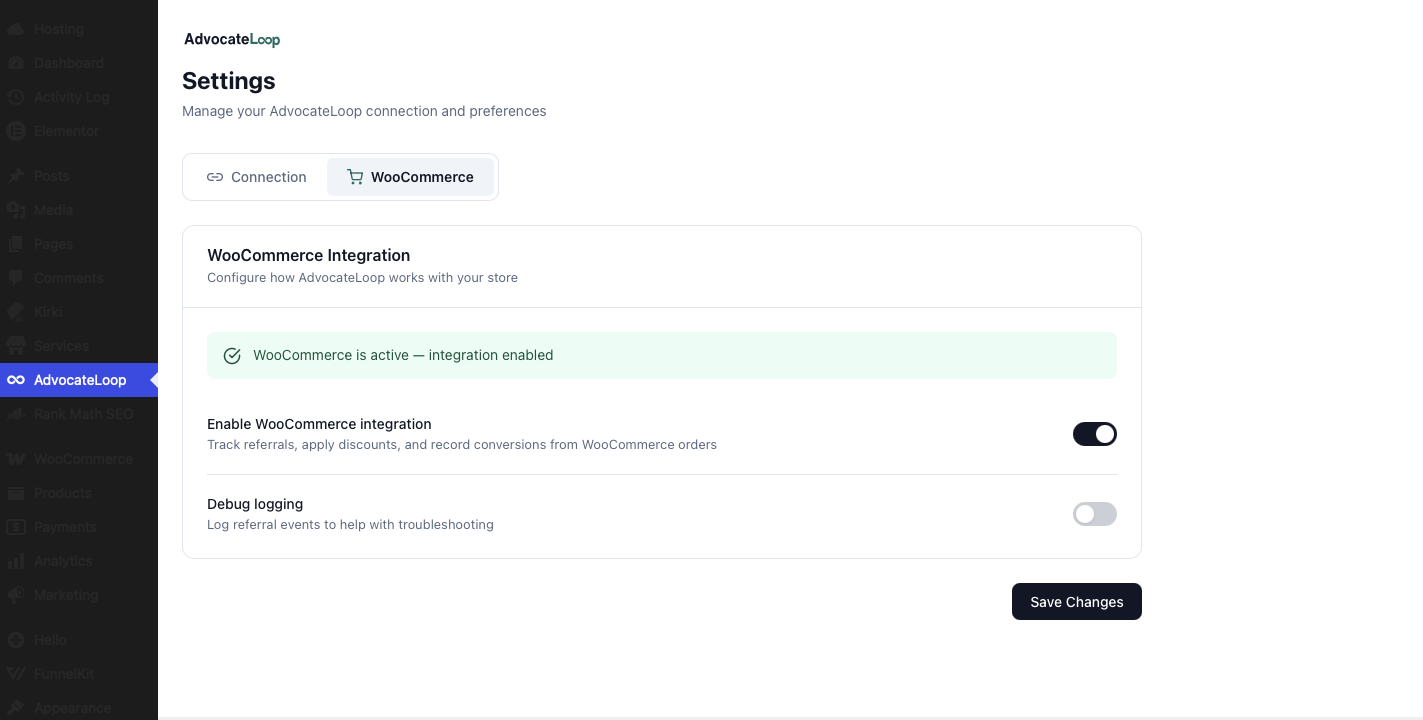
Once the base plugin is connected, a WooCommerce tab appears in the AdvocateLoop menu. Flip the tracking toggle and you're live. The design, rewards, and analytics stay in your dashboard.
How it works
Three steps. Then it works.
Install & connect the base plugin
Install "AdvocateLoop" from the plugin directory and connect your account with your API key and Brand ID. The WooCommerce add-on builds on it.
Add the WooCommerce add-on
Search "AdvocateLoop for WooCommerce", then Install and Activate. It requires the base plugin and WooCommerce to be active.
Toggle tracking on
A WooCommerce tab appears under the AdvocateLoop menu. Flip the tracking toggle and you're live — orders, discounts, and refunds are handled automatically.
Inside WordPress
What lives in WordPress.
The add-on adds a WooCommerce tab to the AdvocateLoop menu with a single tracking toggle. Everything else — widget design, copy, rewards, advocate management, analytics — stays in your AdvocateLoop dashboard.
Get the add-on.
Be live in 10 minutes.
Free for up to 100 advocates on Starter. No card required for Starter.